How to Redact CCTV Footage When It Shows Delivery Labels and Documents
A delivery label can reveal far more than a resident’s name. A close-up may show a flat number, telephone number, tracking code or delivery address. Documents left on a reception desk or visible in a parcel-room image can expose account details, signatures, medical information or confidential correspondence.
If CCTV footage needs to be shared for an incident review, insurance claim, complaint or formal disclosure, those details may need to be hidden before the footage leaves the building’s control. The aim is not to make useful evidence unusable. It is to disclose only what is necessary, while reducing the risk of exposing people’s personal information.
This guide sets out a practical approach for property managers, building teams and owners’ associations. It covers data minimisation, governance, camera positioning, retention and a manual redaction checklist. It is operational guidance, not legal advice: check the applicable privacy requirements and obtain advice for complex or disputed disclosures.
Start with the purpose, not the software
Before opening an editing tool, ask: What security question does this camera answer? Then ask what the recipient needs to see to answer it. For example, a review of whether a parcel was collected may require the time, movement of the parcel and identity of the person collecting it. It may not require a readable label, a neighbouring resident’s post or a document on the reception counter.
That distinction is the basis of data minimisation: use and disclose only the footage and detail needed for a defined purpose. Do not export an entire day of corridor video simply because it is convenient. Identify the relevant camera, date and time window, and limit the clip to the incident and any necessary context.
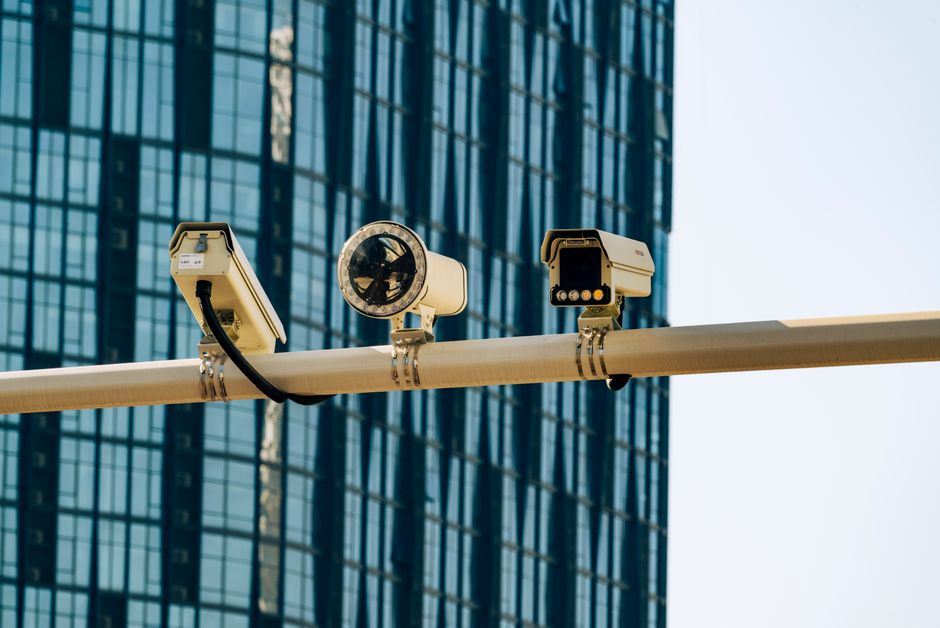
What delivery labels and documents can reveal
Labels and paperwork are easy to overlook because they are not always the subject of the incident. Check for information that is legible in the original, including:
- Names, flat or unit numbers, addresses and phone numbers.
- Barcodes, QR codes, tracking references and delivery instructions.
- Signatures, handwritten notes, invoices and account details.
- Letters, forms or screens visible in the background.
- Names of other residents, visitors, staff or delivery workers.
A barcode can be personal data even when the underlying information is not obvious to the person viewing the clip. Avoid assuming that an item is harmless because its text is small, partly obscured or difficult to read on a phone screen.
Choose the right redaction method
Use a reliable video-editing or redaction tool that can apply a solid mask or blur to a selected area across the relevant frames. A still-image edit is not enough: the label or document may move, the camera may pan, or a person may pick up the item. Track the area throughout the clip and review the result frame by frame where exposure is possible.

Blur labels or cover them?
Blurring can work for routine disclosure, but it must be strong enough that the text, numbers and codes cannot be recovered from the exported file. A solid, opaque mask is often the safer option for highly sensitive or clearly readable information. Do not rely on a light blur, pixelation that leaves text guessable, or a translucent shape that can be adjusted or removed.
Use the same principle to hide documents. If only a small part of the scene needs masking, keep the redaction local. If a document is moving or its contents are exposed at different angles, it may be safer to obscure a larger area or shorten the clip. Always preserve an unaltered master securely where retention is justified and permitted, and clearly label the redacted copy as an edited disclosure version.
Governance: who decides and who can access the footage?
CCTV decisions should have an accountable owner. Depending on the building’s arrangements, this may be the property manager, building owner, residents’ management company, housing provider or another designated controller. The contract with a security company does not, by itself, settle who is responsible for decisions about purpose, access and disclosure.
Agree a written process covering who may view footage, who may approve an export, who performs redaction and who records disclosures. Limit access to named, trained people with a legitimate role. Curiosity is not a reason to watch live or recorded CCTV. Keep an access and disclosure log so the building can establish what was viewed, exported, shared and why.
Before any export, make a practical check: Where will the exported clip end up, and who can open it? Use an approved, access-controlled transfer method. Avoid raw clips emailed around or placed in a shared folder with broad permissions and no deletion date. Confirm the recipient, delivery method, access expiry and any onward-sharing restrictions. If a password is needed, send it through a separate channel.
Camera placement and field of view control
Redaction is a safeguard, not a substitute for thoughtful camera placement. Review whether each camera is needed and whether it captures more than its security purpose requires. A camera aimed at a parcel storage area, for example, may not need to capture the full contents of a reception desk or every flat door in a corridor.
- Set the camera angle and zoom to cover the relevant risk area, not general activity.
- Use privacy masking in the camera system where a fixed area should never be recorded.
- Check reflections, glass, doorways and adjacent private areas in the actual recorded view.
- Review the field of view after changes to furniture, parcel storage or reception layouts.
- Do not add cameras “just in case”. Record the security purpose for each camera and assess whether less intrusive measures would work.
A periodic walk-through is useful: compare the camera’s live view with what it records at different times of day. Lighting, open doors and temporary parcel piles can change what is visible. If labels and documents repeatedly appear in footage, address the cause as well as the individual clip—for example, by changing the camera angle or moving the parcel handling point.
Retention and routine deletion
Set a retention period based on the building’s purpose, risk assessment and applicable requirements. Keep routine footage only as long as necessary, then delete it automatically where practical. A longer period is not automatically better: it increases the volume of personal information held and the consequences of inappropriate access.
When an incident is identified, preserve only the relevant footage for the specific review or process, document why it is being held, restrict access and set a review or deletion date. Do not let an incident export become a permanent archive by default. Include redacted copies, working files and downloaded exports in the retention process, not just footage on the recorder.
Stage Practical control Routine recording Apply the approved retention period and automatic deletion where available. Incident review Record the purpose, relevant time window, authorised viewers and reason for any hold. Disclosure Redact unnecessary details, log the recipient and use a controlled transfer method. Closure Delete temporary exports and working files when no longer needed; record any justified extension.Manual redaction checklist
Use this checklist before releasing any clip. It goes beyond faces and vehicle registration plates, which are not the only details that may need attention.
- Confirm the purpose: What specific incident or request is the footage being used for?
- Minimise the clip: Select the relevant camera and the shortest time window that preserves necessary context.
- Review every frame: Check moving labels, papers, screens and background areas, not just the opening and closing frames.
- Blur labels: Check names, flat numbers, addresses, phone numbers, tracking codes, QR codes and barcodes. Use an opaque mask if a blur is not reliably unreadable.
- Hide documents: Check paperwork on desks, parcel shelves, in hands and behind glass. Include signatures, notes, forms and computer screens.
- Check other identifiers: Look for faces, plates, access fobs, visitor books, parcel contents, uniforms or distinctive details that identify someone unnecessarily.
- Check audio: If sound was recorded, decide whether it is necessary. Remove or mute irrelevant conversations and private information.
- Test the export: Reopen the exported file and confirm that masks remain in place, the quality is adequate and redacted details cannot be recovered by pausing, zooming or changing playback settings.
- Control the file: Use a meaningful filename, approved storage and restricted access. Avoid unprotected links and raw clips sent by email.
- Log and delete: Record the redaction and disclosure, identify who received the file, and set a deletion or review date for copies.
Prices and tool selection
There is no responsible single price realtytimes.com to quote for “CCTV redaction” without knowing the footage length, number of moving objects, number of clips, software already available and whether the work is done in-house or by a specialist. Avoid publishing a made-up flat price simply to fill a gap in an article or comparison page. If you are commissioning work, request a written quote that separates setup, redaction time, review, secure delivery and any storage or deletion charges.
For an in-house process, assess tools against practical controls rather than headline features: frame-by-frame masking, secure project storage, export quality, auditability, user permissions and deletion of temporary files. Test with a non-sensitive clip first. If the footage is complex, highly sensitive or likely to be challenged, consider specialist support and keep a record of the review.
Make redaction part of the building’s routine
Good redaction starts before an incident. Set a clear CCTV purpose, keep camera views proportionate, train authorised staff, restrict exports and apply a retention schedule. When a delivery label or document appears in a clip, assess what the recipient actually needs, mask the rest, test the exported file and log where it goes.
The final reality check is simple: if the detail does not help answer the security question, why disclose it?
Share this guide
Share on Facebook | Share on X (Twitter)